
Small businesses face mounting pressure to deliver reliable technology support while managing tight budgets and limited IT staff. A managed IT help desk offers a strategic solution by providing professional technical support services through an external provider, allowing companies to access enterprise-level expertise without the overhead of maintaining an in-house team. This model has evolved significantly, with modern managed help desks offering 24/7 support, advanced monitoring tools, and proactive maintenance that prevents issues before they disrupt business operations. For organizations in growing markets like Lethbridge and surrounding areas, partnering with a managed service provider transforms IT support from a cost center into a strategic advantage.
Understanding the Managed IT Help Desk Model
The managed IT help desk operates as an extension of your business, handling everything from password resets to complex network troubleshooting. Unlike traditional break-fix models that charge per incident, managed services typically work on a predictable monthly fee structure that covers all support needs.
This arrangement provides several distinct advantages. Cost predictability allows for accurate budgeting without surprise expenses when systems fail. Access to specialized expertise means your team can tap into professionals who handle diverse technical challenges daily, building knowledge that no single in-house technician could match. Scalability enables support to flex with your business needs, expanding during growth periods without hiring delays.
Core Service Components
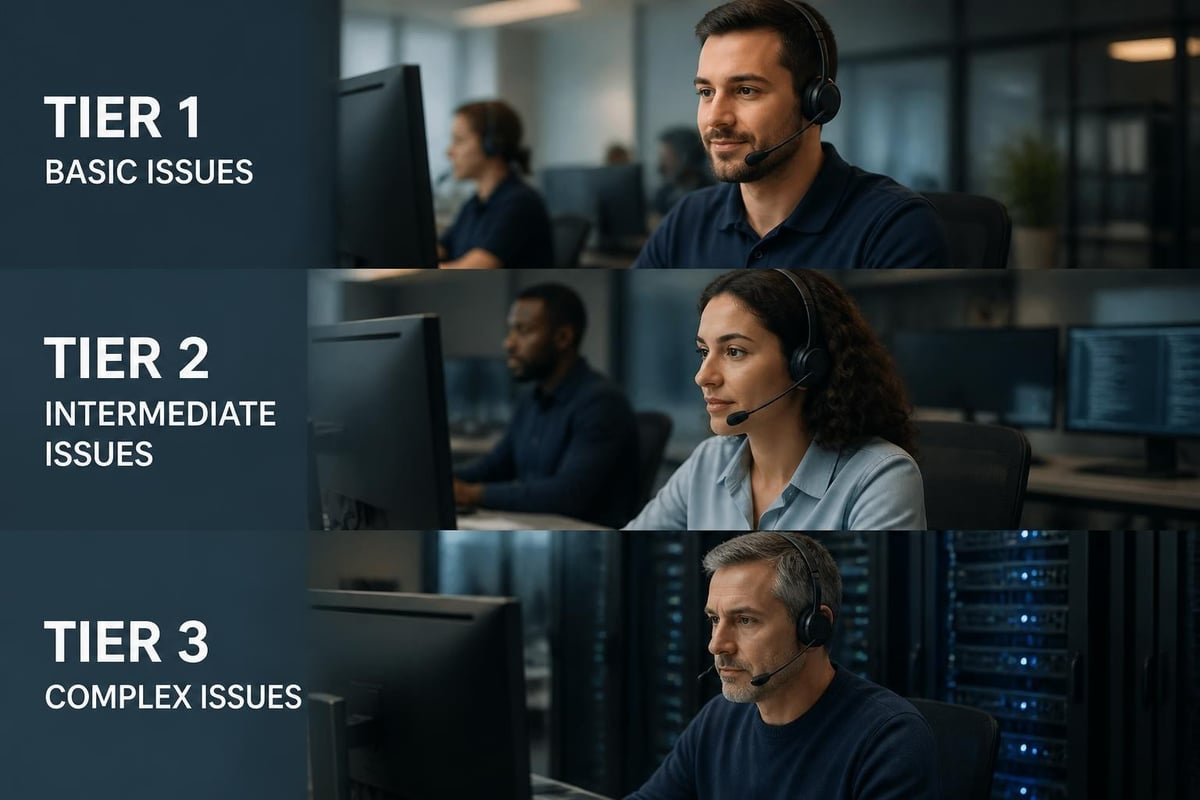
A comprehensive managed IT help desk encompasses multiple service tiers:
- Level 1 Support: First-line response for basic issues like password resets, software installation, and user account management
- Level 2 Support: Intermediate troubleshooting for network connectivity, email problems, and application errors
- Level 3 Support: Advanced technical support involving server issues, security incidents, and infrastructure problems
- Proactive Monitoring: Continuous system observation to identify and resolve issues before users notice them
- Asset Management: Tracking hardware and software inventory, licenses, and lifecycle planning
The service desk becomes the single point of contact for all technology issues, eliminating confusion about where to turn when problems arise.
Key Performance Metrics That Matter
Measuring managed IT help desk effectiveness requires tracking specific indicators that reflect service quality and business impact. Organizations should establish clear expectations with their provider around these metrics.
| Metric | Industry Standard | Business Impact |
|---|---|---|
| First Response Time | Under 15 minutes | User satisfaction and productivity |
| First Contact Resolution | 70-75% | Efficiency and cost control |
| Average Resolution Time | 4-8 hours | Downtime minimization |
| Ticket Backlog | Less than 5% | Resource adequacy |
| Customer Satisfaction | 4.5/5 or higher | Overall service quality |
Service level agreements (SLAs) formalize these expectations, creating accountability and ensuring alignment between provider capabilities and business needs. The best practices for managed help desks emphasize establishing clear SLAs that define response times, resolution targets, and escalation procedures.
Beyond Basic Metrics
Advanced help desk operations track additional indicators that reveal deeper insights. Mean time to resolution (MTTR) shows how quickly your provider resolves typical issues. Ticket categorization data identifies recurring problems that might indicate underlying infrastructure weaknesses. User satisfaction surveys capture qualitative feedback that numbers alone cannot reveal.
These metrics create a feedback loop for continuous improvement. When resolution times creep upward, it signals the need for additional training, documentation updates, or infrastructure investments.
Security Considerations in Help Desk Operations
The help desk represents a critical security junction where access controls, password management, and privileged account handling converge. Unfortunately, help desks remain significant security risks when proper protocols are not enforced.
Social engineering attacks frequently target help desk personnel because they have elevated access privileges. Attackers impersonate legitimate users, creating urgency around password resets or account access requests. Without robust verification procedures, well-meaning technicians can inadvertently grant unauthorized access to sensitive systems.
Implementing Strong Security Protocols
Effective managed IT help desk providers implement multiple security layers:
- Multi-factor authentication for all technician access to customer systems
- Strict identity verification procedures before processing sensitive requests
- Detailed audit logging of all administrative actions
- Regular security training to keep staff current on evolving threats
- Principle of least privilege limiting access to only what each role requires
- Encrypted communication channels for all remote support sessions
The managed service provider should also maintain robust security certifications and undergo regular third-party audits. Their security posture directly affects your risk profile, making this a critical selection criterion.
Selecting the Right Help Desk Software Platform
Technology choices significantly impact service delivery quality and efficiency. Modern help desk software solutions offer features far beyond basic ticket tracking, incorporating automation, knowledge bases, and integration capabilities.

Essential Platform Capabilities
Your managed IT help desk provider should utilize software with these core features:
- Omnichannel ticket creation allowing users to submit requests via email, phone, chat, or self-service portal
- Automated routing and prioritization based on issue type, affected systems, and business impact
- Knowledge base integration enabling technicians to access solutions quickly and users to self-serve
- Remote access tools for efficient troubleshooting without on-site visits
- Reporting dashboards providing real-time visibility into ticket status and trends
- Mobile accessibility ensuring support continuity regardless of technician location
Advanced platforms incorporate artificial intelligence to suggest solutions, predict ticket volumes, and identify knowledge gaps. These capabilities accelerate resolution times while reducing the burden on support staff.
Cost Structure and ROI Analysis
Understanding the financial implications of a managed IT help desk helps businesses make informed decisions. The typical pricing model includes a per-user monthly fee covering unlimited support within agreed service parameters.
| Cost Factor | In-House Model | Managed Help Desk |
|---|---|---|
| Salary + Benefits | $50,000-$75,000 per technician | Included in monthly fee |
| Training & Certification | $2,000-$5,000 annually | Provider responsibility |
| Help Desk Software | $1,500-$3,000 annually | Included in service |
| After-Hours Coverage | Overtime or additional staff | Included in service |
| Expertise Breadth | Limited to staff knowledge | Full team specialization |
The managed approach typically costs 30-40% less than maintaining equivalent in-house capabilities while delivering superior service levels. Fixed-rate fee structures eliminate budget uncertainty, a particularly valuable benefit for small businesses with limited financial flexibility.
Calculating True ROI
Direct cost savings represent only part of the value equation. Reduced downtime translates to preserved productivity and revenue. Improved security posture prevents costly breaches. Enhanced user satisfaction boosts morale and retention.
A manufacturing company with 25 employees might pay $3,000 monthly for comprehensive managed IT help desk services. If this prevents just two hours of company-wide downtime annually, the productivity preservation alone justifies the investment.
Proactive Support vs. Reactive Troubleshooting
Traditional help desks operate reactively, addressing problems after they occur and impact users. Modern managed IT help desk services flip this model, emphasizing prevention through continuous monitoring and maintenance.
Proactive monitoring tools track system health indicators, network performance, security events, and capacity utilization. When metrics deviate from normal patterns, automated alerts notify technicians who can investigate before users experience problems. This approach reduces emergency tickets by 40-60% in typical deployments.
The Proactive Service Framework
Implementing IT help desk best practices requires systematic approaches to prevention:
- Scheduled maintenance windows for updates and patches
- Capacity planning to prevent resource exhaustion
- Performance baseline establishment enabling anomaly detection
- Regular security assessments identifying vulnerabilities
- Predictive analytics forecasting potential failures
This framework transforms the help desk from firefighting to strategic IT management. Technicians spend less time on urgent incidents and more time on optimization projects that drive business value.

Integration with Business Operations
The most effective managed IT help desk services align closely with business processes and objectives rather than operating as isolated technical support. This integration requires understanding how technology enables core business functions.
For a retail business, point-of-sale system reliability directly affects revenue. The help desk must prioritize these systems accordingly, with aggressive SLAs and redundant support coverage. For professional services firms, email and collaboration tools enable client communication and project delivery, warranting similar priority status.
Strategic Partnership Development
Moving beyond transactional support relationships requires several elements:
- Regular business reviews discussing technology alignment with goals
- Strategic planning participation ensuring IT roadmap supports growth
- Proactive recommendations for efficiency improvements and modernization
- Industry expertise bringing relevant insights from similar organizations
- Vendor coordination managing relationships with software and hardware providers
This partnership approach characterizes the difference between commodity support and strategic managed IT help desk services. The provider becomes invested in your success, not just ticket closure rates.
Documentation and Knowledge Management
Comprehensive documentation serves as the foundation for consistent, efficient support delivery. The essential practices for help desk operations consistently emphasize knowledge management as a critical success factor.
Well-maintained knowledge bases capture solutions to common problems, configuration details for systems, and step-by-step procedures for routine tasks. This documentation accelerates troubleshooting, enables self-service, and preserves institutional knowledge when staff transitions occur.
Building Effective Knowledge Resources
Quality documentation requires ongoing investment and maintenance:
- Solution cataloging after every ticket resolution
- Regular review cycles to update outdated information
- User-friendly formatting with screenshots and clear instructions
- Search optimization enabling quick information retrieval
- Access controls protecting sensitive configuration details
The knowledge base becomes increasingly valuable over time, compounding returns on documentation investment. First-year deployment might reduce average resolution time by 15%, but mature systems can achieve 40-50% efficiency gains.
User Communication and Expectation Management
Technical excellence means little if users feel uninformed or frustrated during support interactions. Effective communication practices distinguish superior managed IT help desk services from mediocre alternatives.
Transparency about ticket status, estimated resolution times, and any delays builds trust even when problems prove complex. Users appreciate knowing where their issue stands more than they appreciate vague reassurances. Regular updates, even without resolution, demonstrate attention and progress.
Communication Best Practices
Structured communication approaches improve user experience:
- Acknowledgment within 5 minutes of ticket submission
- Plain language explanations avoiding excessive technical jargon
- Estimated resolution timeframes with updates if timelines change
- Root cause explanation when appropriate, helping prevent recurrence
- Follow-up confirmation ensuring satisfaction after resolution
These practices align with strategies to improve help desk service quality by addressing common failure points in user communication. They require minimal additional effort but dramatically impact satisfaction scores.
Training and Continuous Improvement
Technology evolves constantly, with new systems, security threats, and best practices emerging regularly. Managed IT help desk teams must invest in ongoing training to maintain effectiveness.
Quality providers allocate 5-10% of technician time to professional development, including vendor certifications, security training, and soft skills development. This investment pays dividends through faster problem resolution, better security posture, and improved user interactions.
| Training Category | Frequency | Business Benefit |
|---|---|---|
| Security Awareness | Monthly | Threat prevention |
| New Technology | As deployed | Faster adoption support |
| Customer Service | Quarterly | User satisfaction |
| Industry Certifications | Annually | Expertise depth |
Continuous improvement extends beyond individual training to encompass process refinement based on performance data. Regular reviews of ticket trends, resolution patterns, and user feedback identify opportunities for enhancement. High-performing IT teams distinguish themselves through systematic improvement cycles rather than static operations.
Disaster Recovery and Business Continuity
The managed IT help desk plays a critical role during disaster scenarios, coordinating response efforts and maintaining communication channels when primary systems fail. This responsibility requires advance planning and regular testing.
Effective providers maintain documented disaster recovery procedures covering various scenarios from localized outages to major regional events. These plans specify communication protocols, system restoration priorities, and alternative support channels when primary infrastructure becomes unavailable.
Building Resilient Support Operations
Continuity planning for help desk operations includes:
- Redundant ticketing systems with cloud-based accessibility
- Alternative communication channels including backup phone systems
- Remote work capabilities enabling support from any location
- Regular failover testing validating backup systems function
- Clear escalation paths for business-critical system outages
Small businesses often overlook these considerations, assuming disasters are unlikely. However, best practices for scaling support operations emphasize resilience planning as essential infrastructure, not optional enhancement.
Customization for Industry-Specific Needs
While core help desk functions remain consistent across industries, effective service delivery requires understanding sector-specific requirements and compliance obligations. Healthcare organizations need HIPAA compliance expertise. Financial services require SOC 2 certification familiarity. Manufacturing operations demand production system knowledge.
Managed IT help desk providers serving multiple industries build diverse expertise that benefits all clients. A technician supporting both retail and professional services clients can apply inventory management insights from one sector to asset tracking challenges in another. This cross-pollination of knowledge creates unique value difficult to replicate in single-company IT departments.
The customization extends to support hours, response priorities, and communication preferences. A restaurant group might require evening and weekend coverage matching operating hours, while a professional services firm focuses on business day support with emergency-only after-hours service.
Vendor Management and Coordination
Modern businesses rely on dozens of technology vendors for software, hardware, cloud services, and telecommunications. Coordinating these relationships creates complexity that drains internal resources and extends problem resolution when issues span multiple vendors.
A comprehensive managed IT help desk assumes this coordination burden, serving as the single point of contact regardless of which vendor ultimately needs to address an issue. This consolidation dramatically simplifies operations for business users and management.
Streamlining Vendor Relationships
Effective vendor management includes:
- Centralized contract tracking for renewals and licensing
- Escalation path documentation for each vendor
- Service level enforcement holding vendors accountable
- Multi-vendor issue coordination when problems involve multiple systems
- Technology stack optimization identifying redundancies and gaps
This coordination capability provides particular value for small businesses lacking dedicated IT management staff. The managed service provider brings experience negotiating with vendors and understanding service commitments, leveling the playing field against much larger enterprises.
Implementing a managed IT help desk transforms technical support from a reactive expense into a proactive business enabler that drives productivity, security, and strategic advantage. By partnering with experienced providers who understand your industry and business objectives, you gain access to enterprise-level expertise and capabilities at predictable costs that scale with your needs. Delphi Systems Inc. delivers comprehensive managed IT services including help desk support, network monitoring, cybersecurity, and cloud solutions designed specifically for small businesses in Lethbridge and surrounding areas, combining local accessibility with proven expertise to keep your technology running smoothly while you focus on growing your business.

