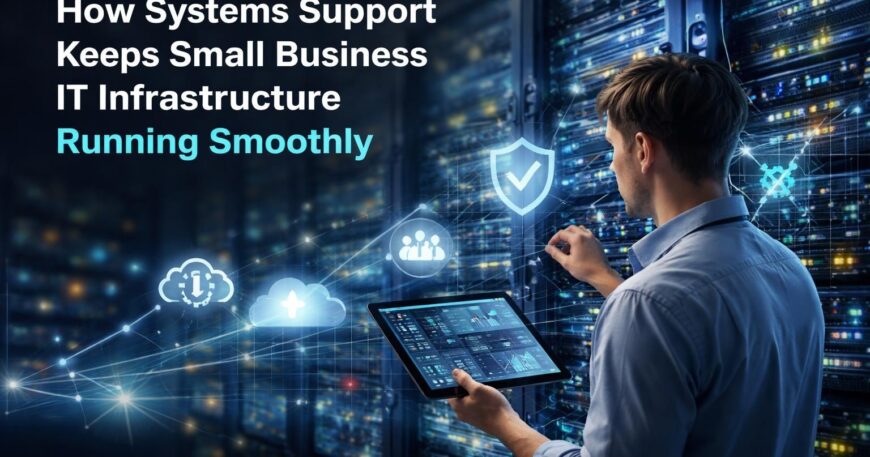
Modern businesses depend on technology infrastructure that operates reliably around the clock. When systems fail or performance degrades, productivity suffers and revenue opportunities disappear. Systems support encompasses the comprehensive strategies, processes, and technical expertise required to maintain IT infrastructure at peak performance levels. For small businesses in competitive markets, effective systems support transforms technology from a potential liability into a strategic advantage that enables growth and operational excellence.
Understanding the Core Components of Systems Support
Systems support extends far beyond simply fixing computers when they break. This discipline includes proactive monitoring, preventive maintenance, security management, performance optimization, and strategic planning. Organizations that view systems support as merely reactive troubleshooting miss opportunities to prevent problems before they impact operations.
Proactive Monitoring and Maintenance
The foundation of effective systems support lies in continuous monitoring of network infrastructure, servers, workstations, and cloud resources. Automated monitoring tools detect anomalies, performance degradation, and security threats before they escalate into critical failures. This proactive approach minimizes downtime and maintains consistent service levels.
Key monitoring areas include:
- Server health metrics and resource utilization
- Network bandwidth and traffic patterns
- Security event logs and intrusion attempts
- Application performance and response times
- Backup completion status and data integrity
Regular maintenance schedules ensure systems receive necessary updates, patches, and configuration optimizations. Implementing ITSM best practices helps organizations establish structured approaches to maintenance activities that reduce risk while improving reliability.

Documentation and Knowledge Management
Comprehensive documentation serves as the institutional memory of IT infrastructure. Without accurate records of system configurations, network topology, software licenses, and support procedures, organizations face extended recovery times during incidents and knowledge gaps when personnel change.
| Documentation Type | Purpose | Update Frequency |
|---|---|---|
| Network diagrams | Visualize infrastructure connections | Quarterly or after changes |
| Configuration baselines | Record standard system settings | After each configuration change |
| Vendor contacts | Maintain support relationships | Monthly review |
| Incident histories | Track problems and resolutions | After each incident |
| User access records | Document permissions and roles | Weekly verification |
Proper system documentation reduces troubleshooting time and ensures continuity when team members are unavailable. Organizations that maintain detailed documentation recover from incidents faster and onboard new staff more efficiently.
Building Effective Support Structures
Systems support requires well-defined processes that balance responsiveness with efficiency. Small businesses need support structures that provide reliable assistance without the overhead of large enterprise help desks.
Service Level Agreements and Response Times
Establishing clear Service Level Agreements (SLAs) sets expectations for response times and resolution targets. These agreements define priority levels for different issue types and specify timeframes for initial response and resolution. Critical infrastructure failures demand immediate attention, while routine requests can follow standard queues.
Priority classification examples:
- Critical – Complete system outage affecting all users (15-minute response)
- High – Major functionality impaired for multiple users (1-hour response)
- Medium – Limited functionality affected for single user (4-hour response)
- Low – Information request or minor enhancement (next business day)
Fixed-rate managed services provide predictable support costs while ensuring appropriate resource allocation. This model allows businesses to budget accurately while receiving comprehensive systems support coverage.
Self-Service Resources and User Empowerment
Effective systems support balances professional assistance with user self-sufficiency. Providing online FAQs and troubleshooting resources enables users to resolve common issues independently, freeing support staff to focus on complex problems requiring specialized expertise.
Knowledge bases should include:
- Step-by-step guides for common tasks
- Troubleshooting flowcharts for frequent issues
- Video tutorials for complex procedures
- Contact information for escalation paths
- Policy documents and acceptable use guidelines
User empowerment reduces ticket volume while improving satisfaction. When employees can quickly find answers to routine questions, they spend less time waiting for assistance and more time on productive work.
Security Integration in Systems Support
Security represents a critical dimension of comprehensive systems support. Every support interaction, configuration change, and system update carries security implications that must be carefully managed.
Access Control and Identity Management
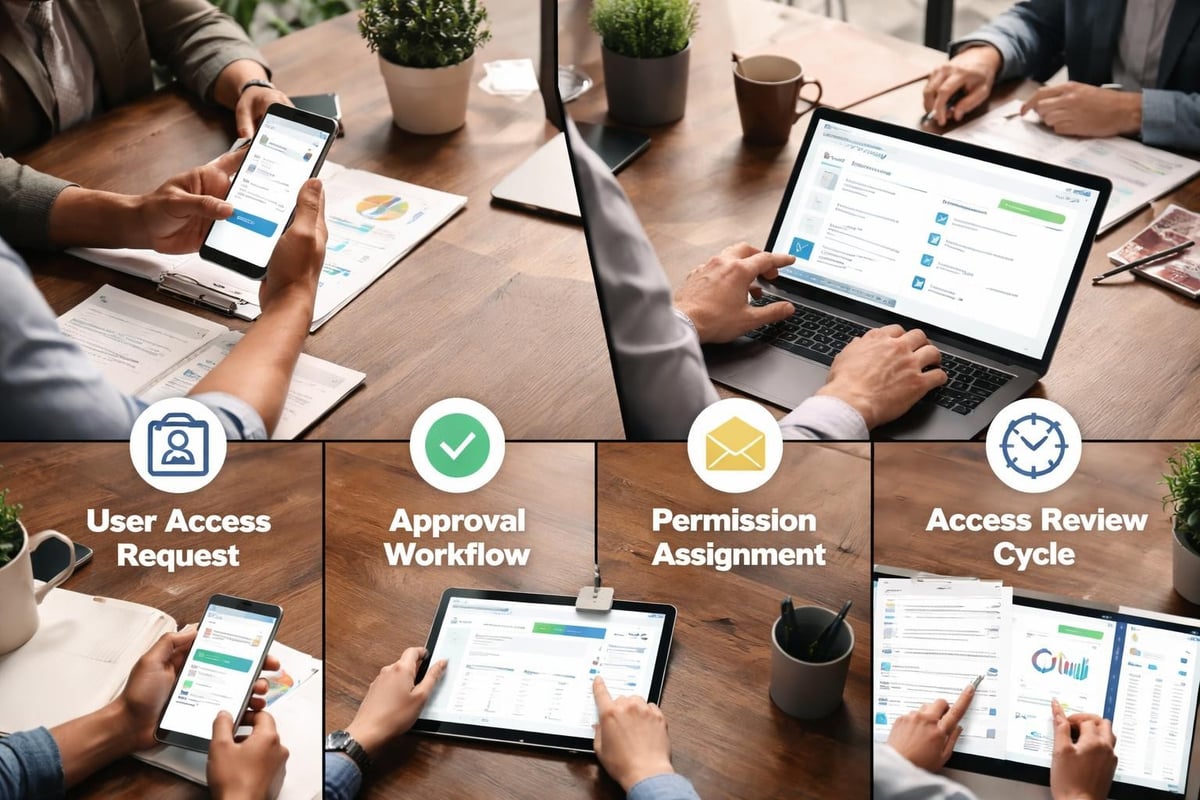
Systems support teams manage user accounts, permissions, and authentication mechanisms that protect sensitive data. Proper access control ensures users have appropriate privileges for their roles without excessive permissions that increase security risks.
Developing security plans for IT systems requires documentation of access policies, authentication requirements, and audit procedures. These plans guide support teams in making consistent decisions about permission requests and system access.
Patch Management and Vulnerability Remediation
Software vulnerabilities represent persistent threats that require systematic management. Systems support teams must balance the need for current security patches against the risk of updates causing compatibility issues or operational disruptions.
Effective patch management includes testing updates in controlled environments before widespread deployment. Critical security patches receive expedited review processes, while routine updates follow standard change management procedures.
| Patch Type | Testing Scope | Deployment Window | Rollback Plan |
|---|---|---|---|
| Critical security | Limited production test | Within 24 hours | Automated rollback |
| Standard security | Full test environment | Next maintenance window | Manual rollback procedure |
| Feature updates | Extended testing period | Planned upgrade cycle | Full system restore available |
| Driver updates | Hardware-specific testing | As needed | Previous driver retention |
Data Protection and Business Continuity
Systems support encompasses strategies that protect business data and ensure operational continuity during disruptions. Backup systems, disaster recovery procedures, and business continuity planning all fall within the systems support domain.
Backup Strategy Implementation
Comprehensive backup strategies protect against data loss from hardware failures, security incidents, human errors, and natural disasters. The 3-2-1 backup rule provides a reliable framework: maintain three copies of data, on two different media types, with one copy stored offsite.
Backup verification requirements:
- Automated backup completion monitoring
- Regular restore testing for critical systems
- Encryption of backup data in transit and at rest
- Retention policies aligned with compliance requirements
- Documentation of backup and restore procedures
Systems support teams verify backup integrity through regular testing that confirms data can be successfully restored. Untested backups provide false confidence that evaporates during actual recovery scenarios.
Disaster Recovery Planning
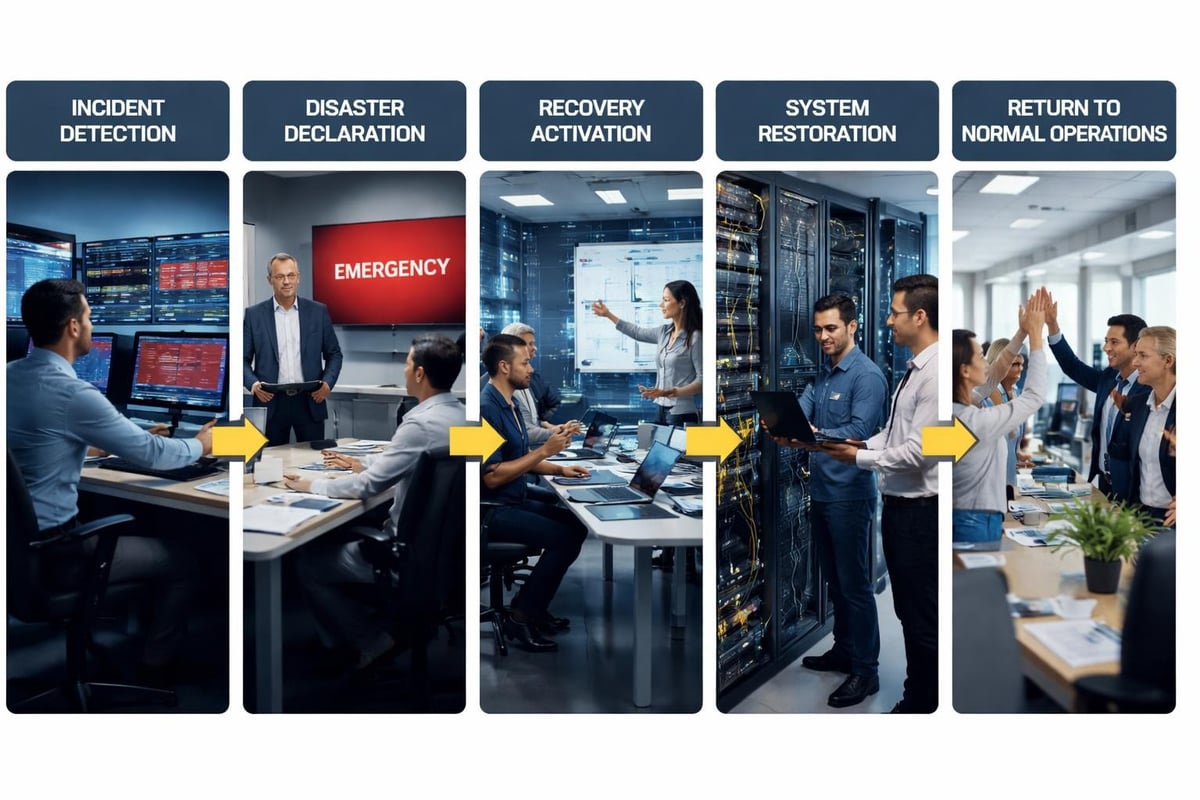
Disaster recovery plans specify procedures for restoring systems and data following major disruptions. These plans identify critical systems, establish recovery time objectives, and document step-by-step restoration processes.
Recovery time objectives (RTO) vary based on business criticality. Email systems might require restoration within four hours, while internal file servers might tolerate eight-hour recovery windows. Understanding these requirements guides infrastructure investment decisions and recovery priorities.
Performance Optimization and Capacity Planning
Effective systems support maintains optimal performance as business needs evolve. Performance monitoring identifies bottlenecks, capacity planning prevents resource constraints, and optimization efforts maximize return on technology investments.
Resource Utilization Analysis
Regular analysis of server resources, network bandwidth, and storage capacity reveals trends that inform infrastructure decisions. Growing businesses need systems support that anticipates capacity requirements before performance degradation affects users.
Capacity planning examines historical trends and projects future needs based on business growth plans. This proactive approach prevents the reactive crisis of systems failing to meet demand during critical business periods.
Application Performance Management
Systems support extends beyond infrastructure to include application performance. Slow-loading business applications frustrate users and reduce productivity regardless of how well underlying networks perform.
Performance management includes:
- Database query optimization and indexing
- Application server configuration tuning
- Content delivery optimization
- Code review for performance bottlenecks
- User experience monitoring and feedback
Vendor Relationship Management
Systems support teams coordinate with technology vendors for specialized assistance, warranty claims, and software licensing. Managing these relationships effectively ensures timely support when internal expertise proves insufficient.
Escalation Procedures and Vendor Support
Complex infrastructure problems sometimes require vendor-specific knowledge that internal teams lack. Service and support best practices from equipment manufacturers provide guidance for leveraging vendor resources effectively.
Maintaining current vendor support contracts ensures access to:
- Technical support hotlines for urgent issues
- Software updates and security patches
- Replacement hardware under warranty
- Knowledge bases and technical documentation
- Professional services for complex implementations
License Management and Compliance
Software licensing represents a significant expense that requires careful tracking. Systems support teams maintain accurate inventories of installed software, monitor license usage, and ensure compliance with vendor agreements.
Unlicensed software creates legal liability and security risks. Regular audits verify that installed applications match purchased licenses and identify opportunities to optimize licensing costs through consolidation or alternative solutions.
Communication and Stakeholder Management
Technical expertise alone does not constitute effective systems support. Communication skills that translate technical concepts into business terms enable support teams to serve diverse stakeholders effectively.
Status Updates and Transparency
During system outages or major incidents, regular communication keeps stakeholders informed about progress toward resolution. Even when solutions remain elusive, transparent updates about troubleshooting efforts and estimated timelines reduce frustration and manage expectations.
IT help desk best practices emphasize the importance of proactive communication that reaches users before they contact support. Automated notifications about scheduled maintenance, known issues, and service restorations keep everyone informed.
Training and User Support
Systems support includes educating users about technology capabilities, security best practices, and efficient work methods. Training programs reduce support tickets by preventing common mistakes and helping users leverage system features effectively.
Tailored training approaches serve different learning styles and schedules. Options include live group sessions, recorded video tutorials, written quick-reference guides, and one-on-one coaching for specialized roles.
Measuring Systems Support Effectiveness
Quantitative metrics provide objective assessments of systems support performance and identify improvement opportunities. Tracking key performance indicators guides resource allocation and process refinement.
Critical Support Metrics
Organizations should monitor multiple dimensions of support effectiveness rather than focusing solely on ticket resolution speed. Comprehensive measurement includes:
| Metric | Target | Purpose |
|---|---|---|
| First-contact resolution rate | >70% | Measures support efficiency |
| Average resolution time | Varies by priority | Tracks responsiveness |
| System uptime percentage | >99.5% | Monitors reliability |
| User satisfaction score | >4.5/5.0 | Assesses service quality |
| Mean time between failures | Increasing trend | Indicates system stability |
Trend analysis reveals whether support quality improves over time or deteriorates under changing conditions. Declining metrics signal the need for process changes, additional resources, or infrastructure upgrades.
Continuous Improvement Processes
Effective systems support evolves through structured improvement efforts. Post-incident reviews examine major outages to identify root causes and prevent recurrence. Regular process reviews evaluate whether support workflows remain efficient as business needs change.
Feedback mechanisms capture user perspectives on support quality and identify pain points in current processes. Anonymous surveys, suggestion systems, and regular stakeholder meetings provide valuable input for improvement initiatives.
Technology Selection and Standardization
Systems support complexity increases with infrastructure diversity. Standardizing technology platforms where appropriate simplifies support requirements and reduces training needs.
Evaluating New Technologies
Introducing new systems or applications requires careful evaluation of support implications. Questions to consider include:
- Does internal staff possess necessary expertise?
- Are vendor support resources readily available?
- How does this technology integrate with existing systems?
- What training will users require?
- Does the solution align with long-term strategy?
Hasty technology adoption without considering support requirements creates technical debt that burdens support teams indefinitely. Thoughtful evaluation balances feature benefits against ongoing support costs.
Platform Consolidation Benefits
Reducing the number of different technologies in use streamlines support operations. When multiple systems serve similar purposes, consolidation reduces licensing costs, simplifies training, and enables deeper expertise development.
However, standardization must balance efficiency against business requirements. Critical business needs sometimes justify maintaining specialized tools despite added support complexity.
Remote Work Support Considerations
Distributed workforces introduce unique systems support challenges. Supporting users across multiple locations requires different approaches than centralized office environments.
Remote Access and Security
Secure remote access enables productivity while protecting business resources. Virtual private networks (VPN), multi-factor authentication, and endpoint security tools protect connections between remote users and corporate systems.
Systems support teams manage remote access credentials, troubleshoot connectivity issues, and ensure remote users maintain security compliance. Clear policies define acceptable use of personal devices and home networks for business purposes.
Distributed Troubleshooting
Diagnosing problems for remote users requires alternative approaches to hands-on support. Remote desktop tools enable support staff to view user screens and control systems for direct troubleshooting. However, effective remote support also depends on users accurately describing problems and following technical instructions.
Shipping replacement hardware to remote locations and coordinating equipment returns add logistics complexity to support operations. Advance planning for common hardware failures reduces downtime when replacements become necessary.
Comprehensive systems support transforms IT infrastructure from a cost center into a competitive advantage. By implementing proactive monitoring, structured processes, security integration, and performance optimization, small businesses achieve reliability levels that support growth and operational excellence. Delphi Systems Inc. delivers expert systems support for small businesses throughout Lethbridge and surrounding areas, offering fixed-rate managed services that maintain peak IT performance while allowing business owners to focus on core activities rather than technology concerns.

