



In 2026, seamless connectivity is essential for both businesses and individuals. Yet, persistent network issues can disrupt workflows, impact customer experiences, and cause costly downtime.
This expert guide on network problems and solutions offers actionable insights for IT professionals and everyday users alike. By understanding the most common challenges, their root causes, and practical remedies, you can safeguard your digital environment.
We will explore the types of issues you might face, systematic diagnostic strategies, step-by-step fixes, and new challenges on the horizon. Follow along for proven recommendations to achieve a resilient, future-ready network.
Understanding Common Network Problems
Network problems and solutions are at the heart of every organization's technology strategy. Understanding the most frequent issues and their underlying causes is essential for both IT professionals and end users. By identifying the warning signs early and knowing their potential impact, you can take proactive steps to maintain a resilient, high-performing network.

Types of Network Issues
The landscape of network problems and solutions in 2026 includes a range of familiar and emerging challenges. Slow internet speeds, intermittent connectivity, and total outages can disrupt daily operations. Hardware failures, such as malfunctioning routers, switches, or damaged cables, are common culprits. Software or configuration errors, like firewall misconfigurations or DHCP issues, often lead to connectivity trouble.
Wireless interference and weak signal strength can degrade performance, especially in dense office environments. Security threats, including malware and DDoS attacks, are increasingly responsible for network disruptions, as highlighted in Enterprise Network Security Challenges in 2026. ISP outages, bandwidth congestion, and bottlenecks round out the list of prevalent issues.
Root Causes and Contributing Factors
Identifying the root causes of network problems and solutions is crucial for effective troubleshooting. Outdated or faulty hardware components are a frequent source of disruptions. Misconfigured network devices or settings can create access and performance issues. Environmental factors, such as physical obstructions or electromagnetic interference, often impact wireless networks.
Software bugs, firmware incompatibility, or outdated drivers may undermine stability. Networks overloaded by increased device usage are prone to slowdowns and failures. Human error during network setup or maintenance is another common cause. Finally, external factors like ISP maintenance or cyberattacks can also trigger network problems and solutions.
Impact on Productivity and Business Operations
The effects of network problems and solutions extend well beyond technical inconvenience. Downtime results in lost revenue and missed opportunities, particularly for small and medium-sized businesses. Decreased employee efficiency and reduced customer satisfaction are direct consequences of unreliable networks.
IT support costs often rise as more resources are diverted to troubleshooting. Data loss or corruption during network disruptions puts valuable information at risk. For example, a small business experiencing an outage may lose sales until connectivity is restored. According to Gartner, the average cost of IT downtime for SMBs exceeds $5,600 per minute as of 2023.
Recognizing Early Warning Signs
Being able to spot the early indicators of network problems and solutions can prevent costly downtime. Frequent dropped connections or timeouts are often the first sign of trouble. Unusual latency or lag in applications may signal deeper network issues. Devices that fail to connect, or repeated security alerts and unauthorized access attempts, warrant immediate investigation.
Network monitoring tools can flag anomalies before they escalate. For example, repeated Wi-Fi disconnects in an office environment suggest interference or configuration issues. Prompt attention to these warning signs keeps networks running smoothly and reduces the risk of major failures.
Step-by-Step Network Problem Diagnosis
Diagnosing network problems and solutions requires a precise, structured approach. Without a clear process, troubleshooting can become time-consuming and frustrating. By following systematic steps, both IT professionals and everyday users can resolve issues efficiently and prevent recurring problems.

Building a Systematic Troubleshooting Process
A methodical troubleshooting process is essential for tackling network problems and solutions. Start by gathering all available information: note symptoms, affected devices, and any error messages. This helps narrow down the scope and saves time.
Next, isolate the problem by determining if it is hardware or software related, and whether it affects a single device or the entire network. Use diagnostic tools like ping, traceroute, and network analyzers to identify where connectivity breaks down.
Keep detailed records of your findings. Documentation not only helps with future incidents but also supports knowledge sharing within your team. A structured approach transforms guesswork into effective resolution, ensuring long-term network stability.
Physical Layer Checks: Hardware and Cabling
Many network problems and solutions begin at the physical layer. Inspect all cables, connectors, and ports for visible damage or loose connections. Verify that each network device, such as routers and switches, has a reliable power supply.
Testing with known-good components is a simple way to rule out faulty hardware. For instance, swapping out a suspected Ethernet cable can instantly restore connectivity. Proper cable management reduces the risk of interference and accidental disconnections.
External threats, like vandalism, can also disrupt physical infrastructure. The Escalating Network Vandalism in Broadband Infrastructure article highlights how physical attacks have become a growing concern for network reliability. Regular checks and security measures help safeguard your network against these risks.
Device-Level Diagnostics: Routers, Switches, and Endpoints
After ruling out physical issues, focus on individual devices. Check the status LEDs on routers and switches for warning signals. Review device logs for error reports or unusual activity, which can provide clues for network problems and solutions.
Restarting devices often clears temporary glitches. Ensure your firmware and software are up to date to prevent compatibility issues. If persistent problems occur, resetting devices to factory defaults may help, but always back up configurations first.
For example, a simple router reboot often resolves slow Wi-Fi or intermittent connectivity. These steps minimize downtime and keep your network running smoothly.
Configuration and Software Troubleshooting
Incorrect settings are a frequent cause of network problems and solutions. Review all network settings, including IP addresses, DNS, and DHCP configurations. Misconfigured firewalls or outdated security policies can block legitimate traffic and cause outages.
Scan for malware or unauthorized software that could disrupt operations. If configuration changes lead to issues, restore from a recent backup to quickly revert to a working state.
For instance, expanding the DHCP scope can resolve address conflicts and restore seamless connectivity. Proactive software management is key to preventing recurring problems.
Wireless Network Troubleshooting
Wireless networks introduce their own set of challenges for network problems and solutions. Begin by assessing signal strength and coverage throughout your space. Identify sources of interference, such as microwaves or overlapping Wi-Fi networks, which can degrade performance.
Changing the Wi-Fi channel or upgrading to a 5GHz band often improves reliability. Update wireless drivers and firmware regularly for optimal operation. Even simple actions, like repositioning the router, can eliminate dead zones and boost signal quality.
A well-maintained wireless setup ensures consistent connectivity for all users and devices.
Using Network Monitoring and Diagnostic Tools
Proactive monitoring is essential for identifying and resolving network problems and solutions before they escalate. Utilize tools like Wireshark, SolarWinds, or built-in OS utilities to analyze traffic and detect anomalies.
Set up alerts to notify you of unusual activity, bandwidth spikes, or outages. Monitoring bandwidth usage helps pinpoint devices or applications that may be hogging resources.
For example, a network analyzer can quickly reveal if a single device is consuming excessive bandwidth, allowing you to address the issue directly. Consistent monitoring supports early detection, reduces downtime, and keeps your network resilient.
Proven Solutions to Common Network Problems
Solving network problems and solutions requires a systematic approach, blending the right hardware, software, and proactive strategies. By addressing the root causes and applying proven fixes, you can eliminate disruptions, boost reliability, and future-proof your environment.

Hardware Solutions and Upgrades
Outdated or failing equipment is a key driver behind network problems and solutions. Begin with a hardware audit to identify aging routers, switches, and network cards.
- Replace legacy devices with enterprise-grade alternatives for higher reliability.
- Use surge protectors and uninterruptible power supplies to shield against power issues.
- Test cables and ports regularly, swapping out any damaged components.
For instance, upgrading a core switch can instantly resolve frequent disconnects and reduce downtime. Keeping hardware current is your first defense against recurring network headaches.
Software and Configuration Fixes
Software issues often underlie persistent network problems and solutions. Prioritize routine updates for firmware, drivers, and operating systems to close security gaps and improve stability.
- Review and update firewall rules to block unauthorized access.
- Automate configuration backups for faster recovery if settings are corrupted.
- Monitor for software bugs or incompatibilities after each update.
A single firmware update can resolve router crashes or random slowdowns. Consistent software maintenance ensures your network remains robust and secure.
Optimizing Wireless Networks
Wireless reliability is central to network problems and solutions, especially with growing device counts. Start by analyzing your coverage map and signal strength.
- Position access points to minimize dead zones and maximize overlap.
- Consider mesh Wi-Fi systems for seamless coverage in larger spaces.
- Switch to WPA3 encryption for stronger security and performance.
Adjusting channel width and transmit power can also reduce interference. For example, a mesh network can eliminate office Wi-Fi dead spots, supporting more users without drops.
Addressing Bandwidth and Performance Issues
Bandwidth congestion often triggers network problems and solutions, especially during peak usage. Optimize by managing traffic and upgrading connections as needed.
- Implement Quality of Service (QoS) to prioritize critical applications like VoIP.
- Upgrade to high-speed internet or fiber to meet growing business demands.
- Limit non-essential traffic during work hours to avoid bottlenecks.
A clear QoS policy can ensure stable video calls even when multiple users stream content. Proactive bandwidth management keeps your team productive.
Enhancing Security to Prevent Disruptions
Security threats are a major cause of network problems and solutions, as attacks can cripple connectivity and compromise data. Deploy layered defenses to minimize risks.
- Install intrusion detection and prevention systems for real-time monitoring.
- Schedule regular vulnerability scans and penetration tests.
- Train employees to recognize phishing and suspicious activity.
According to Cybersecurity Threats Facing SMEs in 2026, small businesses face a rapidly evolving threat landscape, making robust security essential for network stability.
Establishing Reliable Backup and Recovery Plans
No strategy for network problems and solutions is complete without backups and recovery. Automated backups, both onsite and cloud-based, safeguard data against outages or attacks.
- Test disaster recovery plans regularly to ensure readiness.
- Store backups in multiple locations for added redundancy.
- Restore from backups quickly to minimize downtime after incidents.
For instance, rapid recovery from a ransomware attack relies on having current, tested backups available. This ensures business continuity, even during severe network disruptions.
Advanced Network Challenges in 2026
Staying ahead of advanced network challenges in 2026 requires continuous adaptation. The landscape is rapidly evolving, introducing complexities that test even the most experienced IT teams. To effectively address network problems and solutions, it is essential to understand the unique hurdles posed by modern technologies and security threats.
IoT and Device Proliferation
The explosion of IoT devices is reshaping how organizations manage network problems and solutions. Offices now host dozens, sometimes hundreds, of smart sensors, cameras, and connected appliances. Each device introduces new endpoints, increasing the attack surface and complicating management.
IT professionals must segment networks and authenticate devices to prevent unauthorized access. Poorly secured IoT devices can act as gateways for cyberattacks, making network security a top priority. For example, a smart office with numerous sensors must implement strict access controls and regular firmware updates. Proactive device inventory and monitoring are vital components of modern network problems and solutions.
Cloud Networking and Hybrid Environments
The rise of hybrid cloud infrastructures brings both flexibility and new challenges to network problems and solutions. Organizations are blending on-premises resources with public and private clouds, requiring seamless and secure data flow across multiple environments.
Maintaining consistent access, data synchronization, and security policies across cloud and local systems can be complex. Latency issues, bandwidth limitations, and misconfigured VPNs often disrupt operations. For example, supporting a remote workforce with hybrid cloud solutions demands robust connectivity and real-time monitoring. A structured approach to network problems and solutions ensures reliable performance in these dynamic environments.
Remote Work and Secure Access
Supporting distributed teams is now standard practice, making secure remote access a core aspect of network problems and solutions. Employees require reliable connections from various locations, increasing the need for scalable VPNs and Zero Trust architectures.
Balancing security with user convenience is challenging. Multi-factor authentication (MFA) and endpoint compliance monitoring help mitigate unauthorized access. For instance, enforcing MFA for all external logins reduces the risk of breaches. Regularly reviewing remote access policies and training staff further supports effective network problems and solutions in a remote-first world.
AI-Driven Network Management
Artificial intelligence is revolutionizing how organizations approach network problems and solutions. AI-powered tools can predict failures, identify bottlenecks, and even initiate self-healing actions without manual intervention.
By analyzing traffic patterns and detecting anomalies, machine learning systems minimize downtime and enhance efficiency. For example, an AI tool may automatically reroute traffic during bandwidth spikes, preventing performance degradation. Integrating AI into network management reduces the burden on IT teams and supports proactive resolutions to emerging network problems and solutions.
Evolving Threat Landscape
The sophistication of cyberattacks continues to grow, making security a critical factor in network problems and solutions. Threats such as ransomware, supply chain attacks, and advanced persistent threats (APTs) target vulnerabilities at every layer.
Staying protected requires continuous monitoring, rapid patching, and multi-layered defense strategies. Learning from past incidents, such as those analyzed in Securing U.S. Critical Infrastructure: Lessons from Stuxnet and Ukraine Power Grid Attacks, helps organizations identify vulnerabilities and strengthen their defenses. Continuous adaptation is essential for addressing the most pressing network problems and solutions in 2026.
Expert Recommendations for Robust Networking
Ensuring robust networking in 2026 requires a strategic blend of proactive maintenance, resilient design, informed staff, and expert partnerships. By focusing on these pillars, organizations can effectively address network problems and solutions before issues escalate. Here is an actionable roadmap for future-proofed connectivity.
Proactive Network Monitoring and Maintenance
Routine monitoring is the backbone of resolving network problems and solutions swiftly. Set up real-time dashboards to visualize network health and spot anomalies early.
- Schedule monthly health checks and audits.
- Use monitoring tools to track performance metrics.
- Document all changes and incidents for future reference.
A simple monitoring script can enhance visibility:
import os
response = os.system("ping -c 3 8.8.8.8")
if response == 0:
    print("Network Active")
else:
    print("Network Down")
These practices help prevent surprise outages and reduce downtime by catching issues before they impact operations.
Building a Resilient Network Architecture
A resilient architecture is essential for minimizing network problems and solutions. Focus on redundancy and segmentation to isolate faults and maintain uptime.
| Strategy | Benefit |
|---|---|
| Dual Internet | Continuous connectivity |
| VLAN Segmentation | Contain network issues |
| Failover Routing | Automatic backup paths |
For example, using dual internet connections ensures business continuity even if one link fails. Always design networks with scalability in mind to support growth.
Employee Training and IT Policies
People are often the first line of defense against network problems and solutions. Regular staff training builds awareness and reduces risks from human error.
- Conduct security awareness sessions.
- Enforce strong password and access policies.
- Review and update IT policies quarterly.
When employees recognize phishing attempts or follow best practices, the risk of network incidents drops significantly. Consistent education is key for a secure network environment.
Partnering with Managed IT Services Providers
Outsourcing to specialists can help organizations tackle complex network problems and solutions more effectively. Managed IT providers bring advanced tools and 24/7 support, ensuring rapid response to incidents.
- Predictable costs with fixed service agreements.
- Access to expert knowledge and best-in-class technology.
- Focus internal resources on core business activities.
Small businesses especially benefit from this partnership, gaining peace of mind and robust protection against evolving threats.
Managed IT Services in Lethbridge: Delphi Systems Inc.
For local businesses seeking reliable network problems and solutions, Delphi Systems Inc. stands out in Lethbridge and surrounding areas. Their team specializes in network reliability, security, and ongoing support tailored to small businesses.
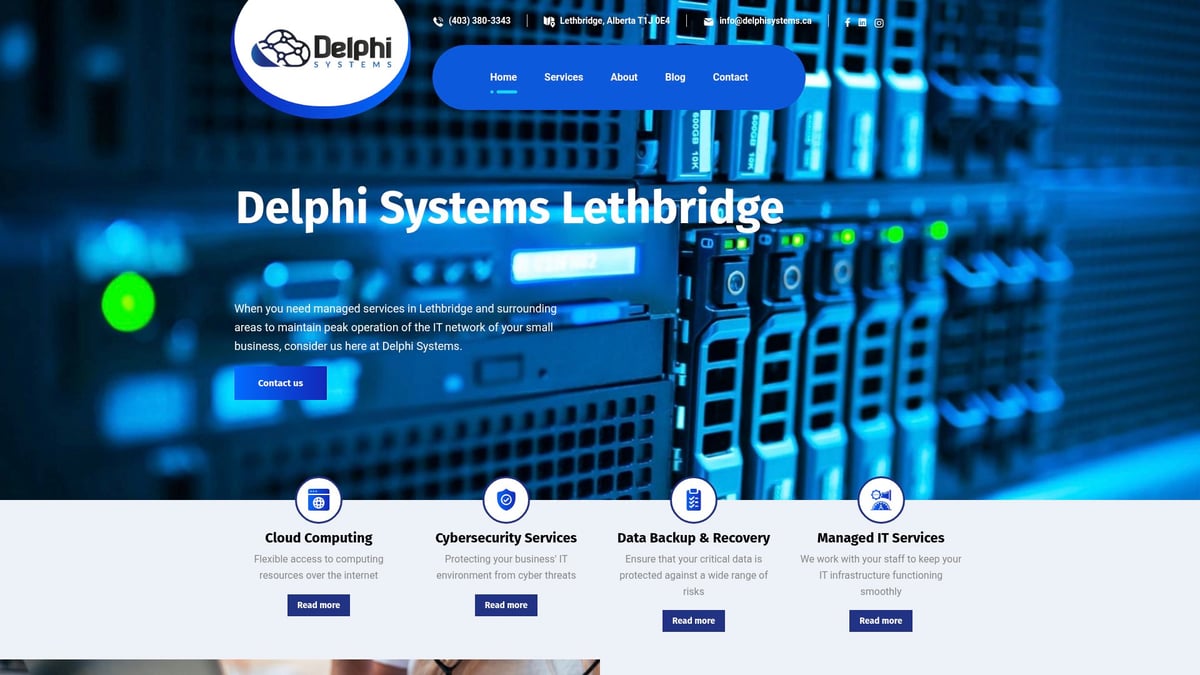
Services include network monitoring, cybersecurity, cloud solutions, and IT consulting. With a fixed-rate fee structure, budgeting becomes straightforward and predictable.
Clients praise Delphi Systems Inc. for their responsiveness and expertise. By partnering with leading tech vendors, they provide access to the latest solutions, ensuring networks stay secure and efficient.
After exploring the most common network challenges and actionable solutions, you might realize that keeping your business running smoothly requires more than just quick fixes—it demands consistent, expert attention. If you’re ready to secure your IT infrastructure, boost productivity, and leave network worries behind, our team at Delphi Systems Inc. is here to help. We specialize in proactive support tailored to small businesses, ensuring your technology works for you every day. Let’s collaborate to create a worry-free IT environment so you can focus on what matters most. Have questions or need immediate assistance? Call us now.

