



Network downtime costs small businesses far more than lost productivity. Every minute your team spends waiting for systems to respond, every customer interaction delayed by connectivity problems, and every security vulnerability left unaddressed directly impacts your bottom line. Understanding common network issues and solutions empowers business owners to minimize disruption, maintain operational efficiency, and protect critical data. Whether you're experiencing intermittent connectivity drops, slow performance, or complete outages, having a structured approach to identifying and resolving these problems is essential for maintaining competitive advantage in today's digital-first business environment.
Understanding Common Network Performance Problems
Network performance degradation manifests in numerous ways, from barely noticeable slowdowns to complete service interruptions. Small businesses often struggle to identify whether problems originate from internal infrastructure, external service providers, or user behavior patterns.
Bandwidth congestion represents one of the most frequent culprits behind sluggish network performance. When multiple users stream video conferences, transfer large files, or access cloud applications simultaneously, available bandwidth gets exhausted quickly. This creates bottlenecks that slow down all network activity, frustrating employees and reducing productivity across your organization.
Identifying Connectivity Interruptions
Intermittent connection drops prove particularly challenging because they occur unpredictably. One moment your team works normally, the next they're staring at loading screens or error messages.
Common causes of connectivity interruptions include:
- Failing network hardware approaching end-of-life
- Interference from nearby wireless networks or devices
- Outdated firmware lacking critical stability patches
- Physical cable damage from environmental factors
- ISP-related service disruptions beyond your control
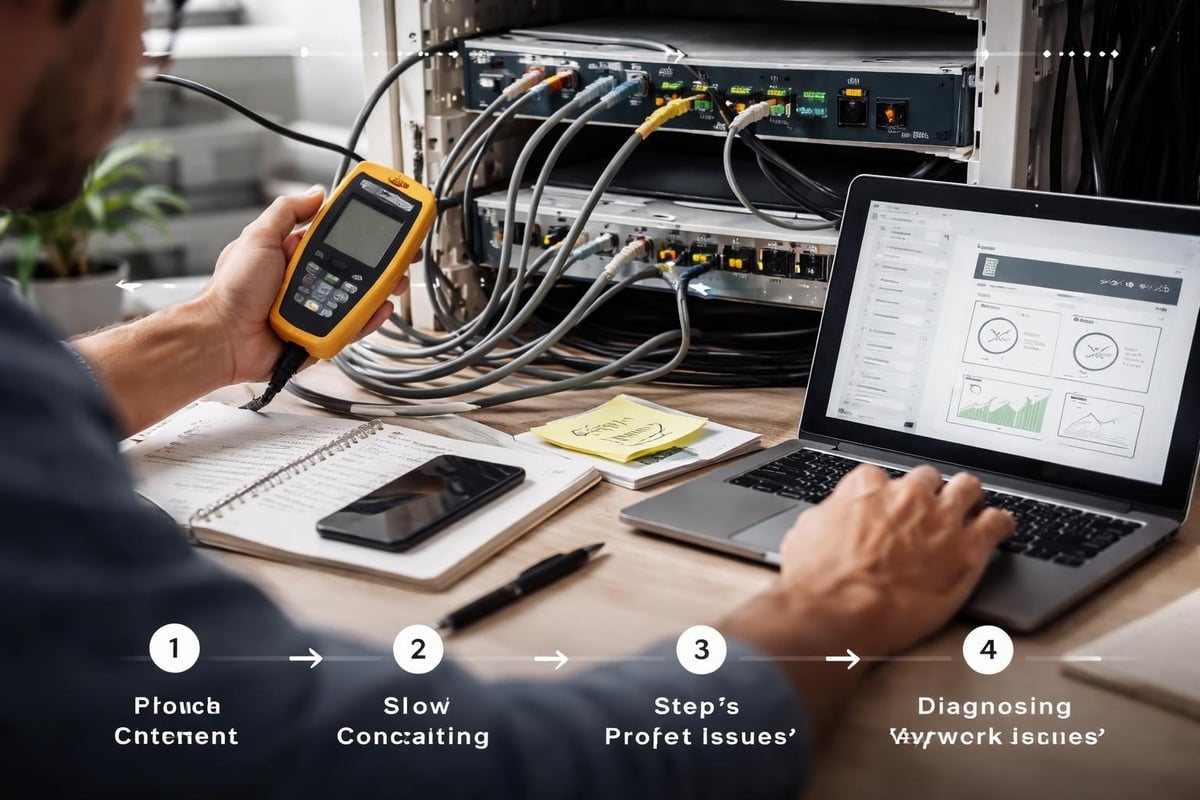
DNS-related problems create another layer of complexity in network troubleshooting. When DNS data provides contextual information about network errors, administrators can diagnose root causes more effectively. Without proper DNS resolution, users cannot access websites, cloud services, or email systems, even when underlying network connectivity remains functional.
Hardware and Infrastructure Challenges
Physical infrastructure forms the foundation of reliable network operations. When hardware components fail or operate suboptimally, entire networks can suffer cascading problems that affect every connected device and user.
Router and Switch Failures
Network devices don't last forever. Routers and switches experiencing hardware degradation exhibit warning signs before complete failure, including random reboots, port failures, and inconsistent performance patterns.
| Warning Sign | Potential Cause | Recommended Action |
|---|---|---|
| Random reboots | Power supply failure or overheating | Check ventilation and replace if necessary |
| Specific ports not working | Physical port damage | Test with different cables, replace switch |
| Intermittent slowdowns | Memory or processor strain | Update firmware or upgrade hardware |
| Frequent dropped connections | Failing internal components | Schedule replacement before total failure |
Environmental factors significantly impact hardware longevity. Equipment installed in dusty, hot, or humid environments experiences accelerated wear. Regular cleaning, proper ventilation, and climate control extend hardware lifespan while reducing unexpected failures.
Cable infrastructure problems often hide in plain sight. A comprehensive understanding of network problem sources helps identify whether issues stem from configuration errors, hardware failures, or security threats. Damaged ethernet cables, loose connections, or cables run alongside electrical wiring introduce interference that degrades signal quality.
Configuration and Software-Related Network Issues and Solutions
Misconfigurations create subtle yet persistent network problems that frustrate troubleshooting efforts. A single incorrect setting can disrupt entire network segments, while poorly optimized configurations waste resources and create security vulnerabilities.
DHCP and IP Address Management
Dynamic Host Configuration Protocol manages how devices receive network addresses. When DHCP servers malfunction or run out of available addresses, new devices cannot join the network, and existing devices may lose connectivity when their leases expire.
Common DHCP problems include:
- Address pool exhaustion when too many devices request addresses from limited ranges
- Rogue DHCP servers distributing incorrect configuration information
- Lease time misconfigurations causing unnecessary network traffic
- Scope conflicts between multiple DHCP servers on the same network
Static IP address conflicts emerge when administrators assign the same address to multiple devices or when static addresses fall within DHCP ranges. These conflicts prevent affected devices from communicating properly and create intermittent connectivity issues that prove difficult to diagnose.
Firewall and Security Configuration
Overly restrictive firewall rules block legitimate traffic while poorly configured rules expose networks to security threats. Finding the balance between security and functionality requires careful planning and ongoing adjustment.
Port blocking prevents applications from functioning when firewall rules prohibit necessary communications. Cloud-based applications, video conferencing tools, and remote access solutions require specific ports to remain open, yet many businesses maintain default firewall configurations that block these services.
Security misconfigurations extend beyond firewalls. Improperly configured VPNs, outdated access control lists, and weak authentication protocols create vulnerabilities that attackers exploit while simultaneously causing connectivity problems for legitimate users.

DNS Management and Reliability Considerations
Domain Name System infrastructure serves as the internet's phone book, translating human-readable domain names into machine-readable IP addresses. DNS problems prevent users from accessing resources even when underlying network connectivity functions perfectly.
Self-hosted DNS systems introduce significant reliability concerns. Understanding the risks associated with self-hosted DNS helps businesses evaluate whether internal DNS servers provide adequate redundancy and failover capabilities. Single points of failure in DNS infrastructure cause widespread outages affecting all network-dependent services.
Implementing Redundant DNS Solutions
Redundancy protects against DNS-related outages. Businesses should configure multiple DNS servers, preferably hosted in different locations or provided by different services, to ensure continuous name resolution even when primary servers fail.
External DNS providers offer several advantages:
- Geographic distribution reducing latency
- Built-in redundancy and failover mechanisms
- Professional monitoring and maintenance
- Protection against DDoS attacks targeting DNS infrastructure
- Automatic updates and security patches
DNS caching issues create confusing situations where some users access updated resources while others reach outdated versions. Proper Time To Live (TTL) configuration balances performance benefits of caching against the need for timely updates when changes occur.
Proactive Monitoring and Prevention Strategies
Reactive troubleshooting addresses problems after they disrupt operations. Proactive monitoring identifies developing issues before they impact users, enabling preventive maintenance that avoids costly downtime.
Network observability and proactive monitoring form the foundation of effective network management. Comprehensive monitoring tracks device health, bandwidth utilization, security events, and performance metrics across all network segments.
Essential Monitoring Components
Effective network monitoring requires visibility into multiple operational layers simultaneously. Surface-level monitoring misses underlying problems that eventually manifest as major outages.
| Monitoring Layer | Key Metrics | Business Impact |
|---|---|---|
| Device Health | CPU usage, memory utilization, temperature | Predicts hardware failures before they occur |
| Bandwidth | Traffic volume, application usage, peak times | Identifies capacity constraints and optimization opportunities |
| Security | Failed login attempts, malware detection, unauthorized access | Prevents breaches and ensures compliance |
| Application Performance | Response times, error rates, availability | Maintains user productivity and customer satisfaction |
Baseline establishment enables meaningful monitoring. Without understanding normal network behavior, distinguishing between routine fluctuations and genuine problems becomes impossible. Continuous monitoring over weeks and months establishes patterns that highlight anomalies requiring investigation.
Automated alerting transforms monitoring data into actionable intelligence. Configure alerts based on threshold violations, unusual patterns, or specific events to ensure technical teams receive timely notifications about developing problems.
Wireless Network Challenges and Optimization
Wireless networks introduce complexity beyond wired infrastructure. Radio frequency interference, coverage gaps, and capacity limitations create unique network issues and solutions requiring specialized knowledge and tools.
Managing RF Interference
Wireless signals compete for limited spectrum with neighboring networks, Bluetooth devices, microwave ovens, and countless other sources. This interference degrades connection quality, reduces throughput, and creates dead zones where connectivity becomes unreliable.
Site surveys map wireless coverage and identify interference sources. Professional surveys using specialized equipment reveal signal strength patterns, channel conflicts, and optimal access point placement. DIY surveys using smartphone apps provide basic insights but miss subtle issues affecting performance.
Channel selection significantly impacts wireless performance. In the 2.4 GHz band, only three non-overlapping channels exist, creating congestion in dense office environments. The 5 GHz band offers more channels with less interference but provides reduced range and wall penetration.

Access point density requires careful balance. Too few access points create coverage gaps and capacity constraints, while too many create interference and roaming problems. Modern wireless systems use controller-based management to coordinate channel selection, power levels, and client steering across multiple access points.
Security Threats Masquerading as Network Problems
Malicious activity often presents symptoms identical to legitimate network issues and solutions challenges. Distinguishing between technical failures and security incidents requires monitoring, analysis, and sometimes forensic investigation.
Recognizing Attack Patterns
Distributed Denial of Service attacks overwhelm network resources, creating symptoms indistinguishable from capacity problems or hardware failures. Traffic analysis reveals whether congestion results from legitimate usage spikes or coordinated attack traffic.
Malware infections consume bandwidth, processor capacity, and memory resources while spreading across networks. Infected devices exhibit slow performance, unusual network traffic patterns, and unexpected communications to external servers. Traditional troubleshooting approaches fail because removing the symptom without addressing the underlying infection allows problems to recur.
Unauthorized access attempts generate authentication failures and security log entries that might appear as user error or configuration problems. Persistent failed login attempts targeting admin accounts signal brute force attacks rather than forgotten passwords.
Structured Troubleshooting Methodologies
Random troubleshooting wastes time and risks making problems worse. Systematic approaches increase efficiency while documenting changes for future reference.
The layered troubleshooting model starts with physical connectivity and progresses through network layers:
- Physical layer: cables, connectors, power, hardware status lights
- Data link layer: switch port status, VLAN configuration, MAC address tables
- Network layer: IP addressing, routing tables, gateway configuration
- Transport layer: port accessibility, firewall rules, NAT configuration
- Application layer: service status, configuration files, log analysis
Documentation practices transform individual troubleshooting episodes into organizational knowledge. Recording symptoms, diagnostic steps, root causes, and solutions creates a reference database that accelerates future problem resolution.
Testing changes in isolation prevents introducing new problems while resolving existing ones. Change one variable at a time, verify the result, and document the outcome before proceeding to the next modification.
When to Escalate Network Issues and Solutions
Internal troubleshooting reaches limits based on expertise, tools, and time availability. Recognizing when problems exceed internal capabilities prevents extended downtime while teams struggle with unfamiliar challenges.
Chronic intermittent problems that resist resolution after thorough troubleshooting often require external expertise with specialized diagnostic tools. These persistent issues consume disproportionate internal resources while remaining unresolved, impacting productivity and team morale.
Complex security incidents demand immediate professional response. Potential data breaches, ransomware infections, and coordinated attacks require forensic analysis, containment strategies, and regulatory compliance considerations beyond typical IT troubleshooting.
Partnering with Managed Service Providers
Organizations lacking dedicated network expertise benefit from professional partnerships that provide access to specialists, advanced tools, and proven methodologies. Fixed-fee arrangements transform unpredictable network problems into manageable operational expenses.
Professional network management includes continuous monitoring, proactive maintenance, security oversight, and rapid incident response. These services prevent many network issues and solutions challenges while ensuring swift resolution when problems inevitably occur.
Businesses in Lethbridge and surrounding areas find value in local providers understanding regional infrastructure challenges, ISP characteristics, and industry-specific requirements. Geographic proximity enables faster on-site response when remote troubleshooting proves insufficient.
Capacity Planning and Scalability
Today's network infrastructure must accommodate tomorrow's requirements. Inadequate capacity planning creates performance problems as businesses grow, requiring expensive emergency upgrades during critical periods.
Bandwidth projections account for business growth, new applications, and changing usage patterns. Cloud adoption, video collaboration, and remote work dramatically increase bandwidth requirements compared to traditional office environments.
| Growth Factor | Bandwidth Impact | Planning Consideration |
|---|---|---|
| Remote workers | 2-3x per-user increase | VPN capacity, home office support |
| Cloud migration | 5-10x application traffic | Internet connection upgrades |
| Video conferencing | 4-8 Mbps per participant | Quality of Service policies |
| File sharing | Variable, spiky patterns | Burst capacity, traffic shaping |
Infrastructure refresh cycles prevent equipment obsolescence. Planning replacements before hardware fails maintains network stability while incorporating improvements in performance, security, and management capabilities. Typical refresh cycles range from three to five years depending on usage intensity and manufacturer support policies.
Scalability extends beyond bandwidth to include management complexity. Networks supporting fifty devices require different tools and approaches than those managing five hundred. Platform selection should anticipate growth rather than just meeting current needs.
Addressing network issues and solutions effectively requires combining technical knowledge, systematic troubleshooting approaches, and proactive management strategies that prevent problems before they disrupt operations. Small businesses balancing network reliability against limited IT resources find that professional support delivers both operational stability and financial predictability. Delphi Systems Inc. specializes in maintaining peak network performance for Lethbridge-area businesses through comprehensive monitoring, rapid problem resolution, and strategic infrastructure planning. Contact them today to discover how managed IT services can transform network challenges into competitive advantages.

